One file is enough
Open Cut MP3, select a range, and export it. There is no need to add a second track.
Keep a favorite passage or turn separate recordings into one MP3. Choose the part, arrange the tracks, and save a new file on your PC.
Windows 11 / 10 · 64-bit · .NET 8 Desktop Runtime required
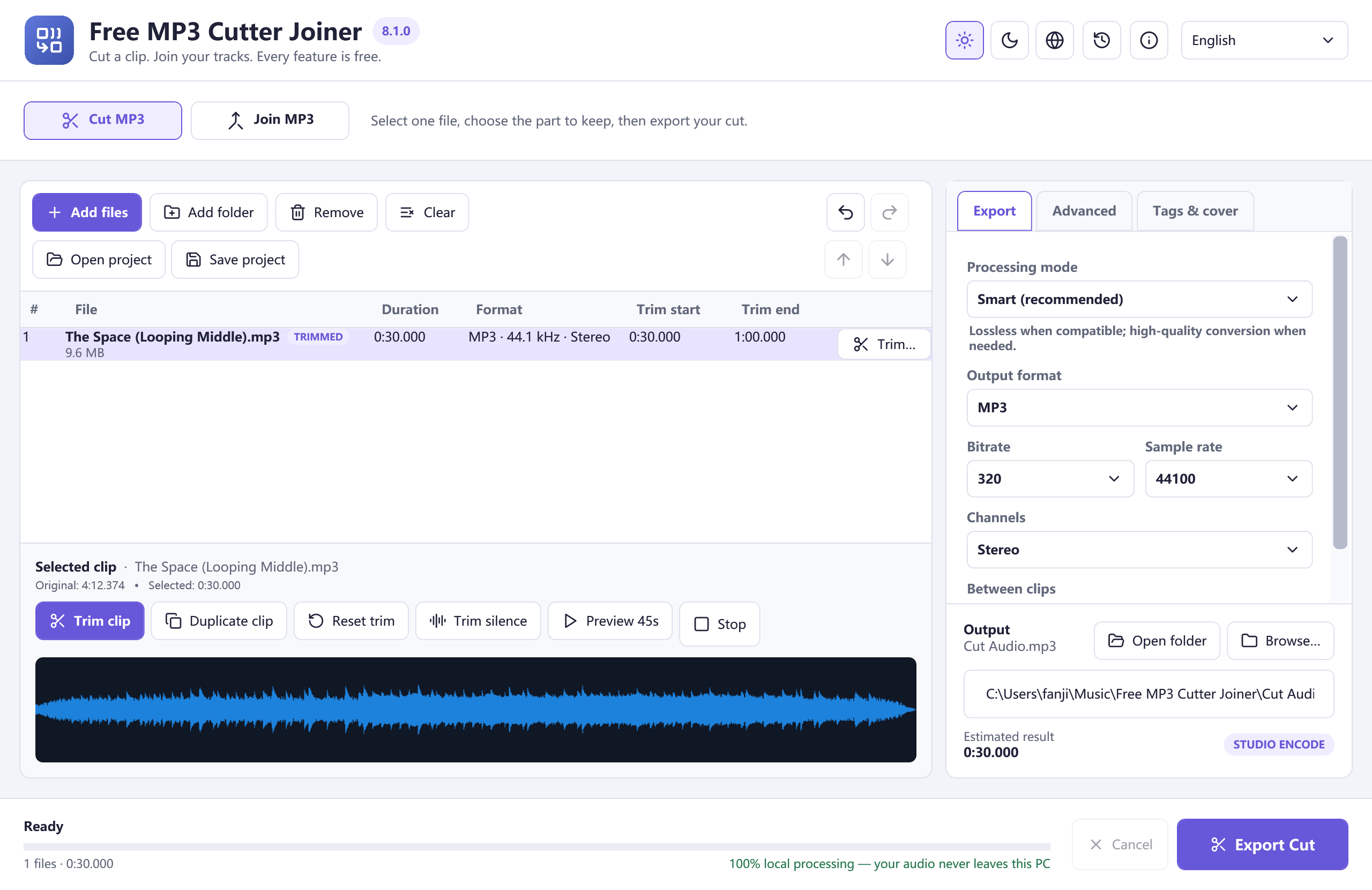
Start with one file to cut. Add more when you want to join.
Open Cut MP3, select a range, and export it. There is no need to add a second track.
Drag tracks into order, trim each one, and join the sequence into a single audio file.
Zoom into the waveform, enter exact times, and listen at the start and end of your selection.
Add a fade in or fade out. When joining, choose a direct join, a pause, or a crossfade.
Save MP3 by default, or select M4A, WAV, FLAC, OGG, or Opus for your next step.
Your audio is processed locally. Export a new file while the source recording stays unchanged.
Choose Cut MP3 for one selection, or Join MP3 for a sequence.
Trim a clip, preview its edges, and arrange tracks when joining.
Choose the output format and save a new audio file.
Cut one MP3 with a waveform selection, exact start and end times, and boundary previews. Save the part you want without changing the original.
Join MP3 files in the order you choose. Trim individual clips, select a direct join or crossfade, and export one MP3 on your Windows PC.
Combine M4A audio files in order and choose M4A output explicitly. Adjust joins, preview clips, and save a new file with Free MP3 Cutter Joiner.
Select a passage from a WAV recording, preview both cut points, and export a new WAV file. Keep the original recording intact.
What the app does, what you need, and what is included.
Yes. Cutting, joining, fades, format options, and the other included features are free. There is no paid edition to unlock.
Yes. Cut MP3 exports the selected range from a single audio file. Join MP3 is a separate workflow for two or more clips.
No. Trim ranges belong to your project, and exports create another file. The program prevents an export from overwriting an input file.
No. Audio processing takes place on your PC. After installation, you can cut and join local files without sending them to this website.
No. Smart mode can copy compatible, unedited audio when the codec and selected settings match. Trimming, fades, normalization, transitions, or differing settings require encoding.
The output choices are MP3, M4A, WAV, FLAC, OGG, and Opus. MP3 is selected by default. You can adjust the available bitrate, sample rate, and channel settings.

A single clip or several recordings: give your audio the shape it needs.